Your speed, nothing else.
Karacho is a digital speedometer for iPhone: your GPS speed in big amber digits you can read at a glance, in the car, on the bike or on foot.
- No account
- No analytics
- Free to use
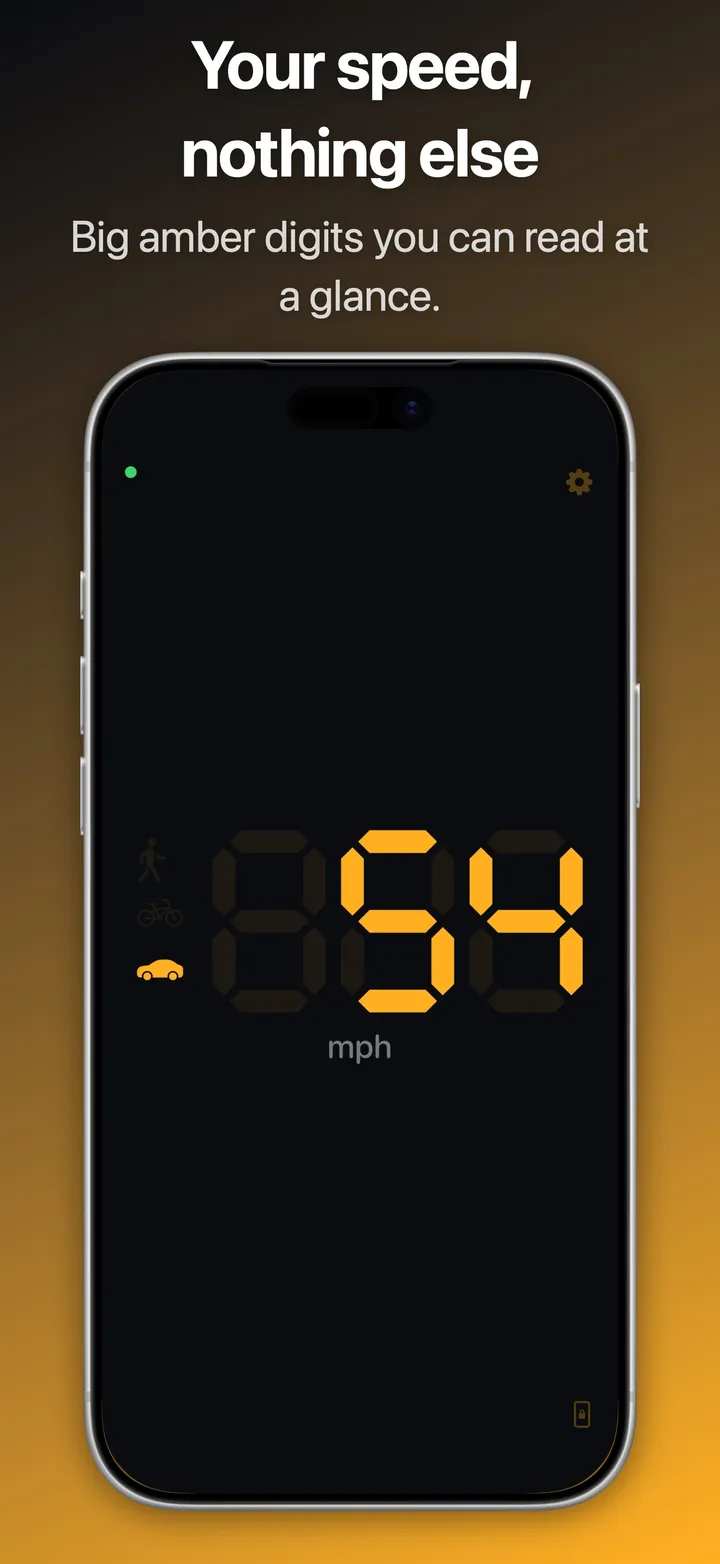
A look at the dial
One number, and a small symbol for how you are travelling.
Built to be read at a glance
A speedometer that shows your speed and stays out of the way.
Big digits
Seven-segment digits fill the screen, amber on near-black. A steady 0 when you stand still, and the screen stays on while Karacho is open.
Knows how you travel
Karacho tells walking, cycling and driving apart, and lights the matching symbol beside your speed. It does not snap to roads, so it works on a train or a boat too.
km/h or mph
The unit follows your region. If you would rather choose, it is one switch in the settings.
Ask Siri
With Pro: ask "How fast am I going with Karacho?" and hear the answer, with the number on a small card, without opening the app.
Lock Screen and Dynamic Island
With Pro: your speed stays visible as a Live Activity while the iPhone is locked or another app is in front.
Private by design
Your speed is worked out on the iPhone. Karacho never reads or stores where you are, only how fast you are moving. No account, no analytics.
Support
Something not working, or an idea? Write to karacho@peterkurzok.de. I read every message.
What do I need to run Karacho?
An iPhone with iOS 26 or later, and location access for Karacho. For the walking, cycling and driving symbols it also needs Motion & Fitness access; without it you still get the speed.
Why does the dial show three dashes?
Karacho has no GPS speed yet. Indoors and between tall buildings a first fix can take a little while. If the dashes stay, check Settings → Privacy & Security → Location Services → Karacho: access must be allowed and Precise Location switched on.
Why is no travel symbol lit?
Standing still lights none: the iPhone reports no activity then. If the symbols are missing altogether, Motion & Fitness access is switched off for Karacho in Settings.
What does Pro add?
Two things: Siri answers "How fast am I going with Karacho?" without opening the app, and your speed stays on the Lock Screen and in the Dynamic Island while the iPhone is locked. Pro is a one-time purchase, with no subscription.
How accurate is the speed?
It is the speed GPS reports, smoothed so that the number does not jitter. It is usually closer to your true speed than a car speedometer, which reads a little high by design. In tunnels and without a view of the sky there is no GPS speed, and Karacho says so instead of guessing.
Does Karacho use my location in the background?
Only in two cases: while your speed is showing on the Lock Screen, and for a few seconds when you ask Siri for your speed. Otherwise Karacho reads your location only while it is open.
Do you collect any data about me?
No. There is no account, no analytics and no crash reporting. Karacho reads how fast you are moving, never where you are, and nothing about your location or your movement leaves the iPhone. The privacy policy has the details.
What do the tips unlock?
Nothing. "Buy me a coffee" and "Buy me lunch" in Settings are optional ways to support development. Pro is the purchase that adds Siri and the Lock Screen.
How do I get in touch?
Write to karacho@peterkurzok.de.
Get Karacho
Coming to the App Store for iPhone. Free to use; Pro, a one-time purchase, adds the Siri answer and your speed on the Lock Screen.
Write to me